Burning Blox Gigablox
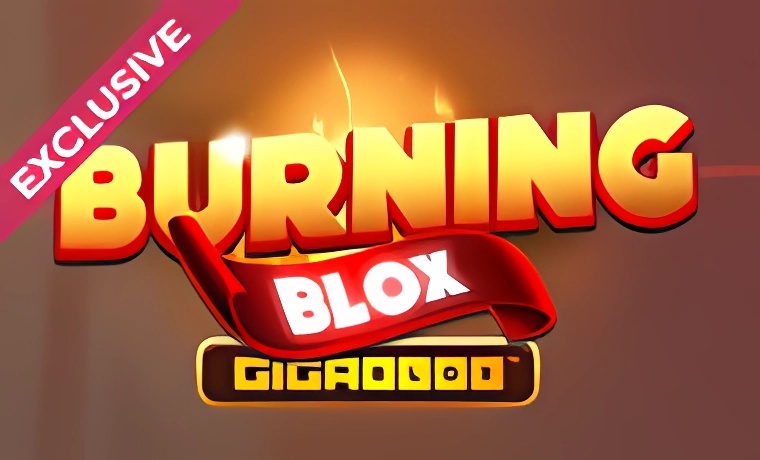
The Burning Blox Gigablox slot offers a colourful display of classic fruit symbols and bold, glowing blocks set against a bright, fiery background. The large Gigablox feature brings oversized symbols to the reels, giving the game a modern look while keeping a familiar fruit machine atmosphere.

About the Game
Burning Blox™ is a 20 line, 5 x 4 Video Slot featuring Free Spins and Diamond symbols.
Gigablox™
- Watch out for colossal symbols landing in view on every spin.
- Have up to 4x4 colossal symbols land in view for potentially epic wins.
- Any paid symbol can be a Gigablox™ symbol.
- Guaranteed Gigablox™ on every spin.
Diamond Symbols
- Diamond symbols can be Wild.
- On any spin, if 6 or more Diamond symbols land in view, it pays a prize.
- During Free Spins, 4 or more Diamond symbols are needed to pay a prize.
Getting and Playing Free Spins
- Free Spins are triggered with 5 or more scatters in view.
- When the player lands 5 or more, these are converted to reveal either 1 or 2 Free Spins per scatter. The collective total is the amount awarded to the player.
- During Free Spins, only 4 Diamond symbols are required to make a prize.
- Retriggers are available during Free Spins with any Scatter in view.
How to Play
- Press the Spin Button to start the game.
How to Calculate Winlines
- To calculate your total payline win, calculate all payline wins and add them together.
- To calculate a single payline win, count the number of identical symbols lined up in sequence on the line, starting from the left-most reel.
- If two or more identical symbols are lined up, find the win value in the dynamic Pay Table. There, you can find the value for all symbols for 2 in a row, 3 in a row, 4 in a row, and 5 in a row. Only the highest winning combination per line is paid out.
- If the winning combination starts with three wilds, there can be many ways to interpret the win. In this scenario, only the highest winning combination is paid out.
- The above doesn't include Free Spin symbols, which do not need to be on a payline to award a prize.
- After the Free Spins round is completed, all wins are added to any win from the game that activated the Free Spins.
Game Options
Click the options icon to expand or collapse the options tray.
- Game Rules – open the rules of the game.
- Game History – if this feature is enabled on your gaming website, you may review and replay your last 10 game rounds.
- Pay Table – check how much each symbol pays out, find explanations of the game features, and information on the paylines.
Game Panel
- Options Tray - players can view the paytable, read the game rules, or look back over their play history.
- Sound Toggle - turn the sounds on or off.
- Exit Button - exits the game and returns the player to the main menu.
- Balance - displays the player's account balance.
- Win - displays the win for the current or last win payout step.
- Bet - displays the current bet.
- Bet Value - changes the bet size by changing the bet value.
- Autoplay (if available) - players can make the game play without pressing the spin button each time. Choose the number of rounds to autoplay by pressing the autoplay button. Players can choose additional conditions for when to stop autoplay in the Game Settings. The loss limit in some game client versions prevents players from losing above a set limit during an autoplay session. Pressing the autoplay button a second time stops the autoplay.
- Spin Button - places the bet and spins the reels. When the reels are spinning, the Spin Button transforms into the Stop Button. Pressing the Stop Button stops the reels immediately.
(Some features and options may not be available in your jurisdiction)
Return to Player
- The expected payback reflects the theoretical return across a very large number of spins by numerous players over an extended period of time and cannot be affected by the player's strategy.
- The RTP is shown in-game.
Randomization
- The reels are spun with a fair and equal chance for each stop position by a certified random number generator. For more information, please contact the game provider.
Additional Information
- If your game is interrupted during play, you may replay the game round after restarting the game within 24 hours after interruption. After that time, any winnings from an interrupted game will be added to your account. If you choose to skip the replay, your win will be added to your balance immediately.
- In any situation where the replay functionality is not sufficient, please contact the support team of your gaming website.
- In the event of malfunction of the gaming hardware/software, all affected game bets and payouts are rendered void, and all affected bets are refunded.
- This is game rules version 1. For previous versions, please contact the game provider.
🎰 You May Also Like: Electric Avenue | Monopoly On The Money | Pots of Luck
Notice Regarding Doubleup Ducks Demo & Free Play Access
Players often search for a Doubleup Ducks demo or Doubleup Ducks free play version, sometimes with no deposit options in mind. As this site does not provide playable demos, this page serves instead as a source of information.
The details come directly from the game itself, highlighting its key statistics and overall structure.
This functions as an alternative to demo or no deposit versions, giving you a reliable overview of Doubleup Ducks without requiring sign-up or play.
*All values (Bet Levels, Maximum Wins etc.) mentioned in relation to this slot game are subject to change at any time. Game features mentioned may not be available in some jurisdictions.